Due to elevated fire danger, the City of Phoenix has implemented Stage 1 Fire Restrictions. All consumer fireworks are prohibited within one mile of mountain preserves, desert parks, regional parks, conservation areas, national forests, and wilderness areas.
Setting Up Multifactor Authentication
If you replaced the smartphone you were using for Multifactor Authentication (MFA), these instructions will show you how to remove your old phone and configure MFA on your new smartphone.
Verify Your MFA Phone Number
Ensure your phone number is listed correctly in eCHRIS as the “Telework-MFA” number. This is the phone you will need to use for all the following steps.
You can view or change this number in eCHRIS > Personal Details > Contact Details.
Add a New Authenticator
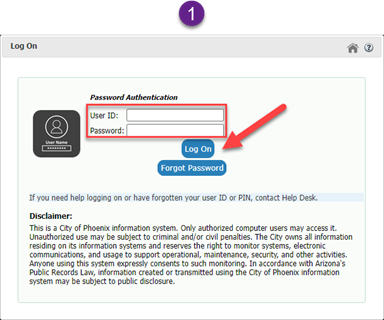
1. Open a web browser on your laptop and go to https://pwreset.phoenix.gov. Enter your employee ID and computer password. Click Log On.
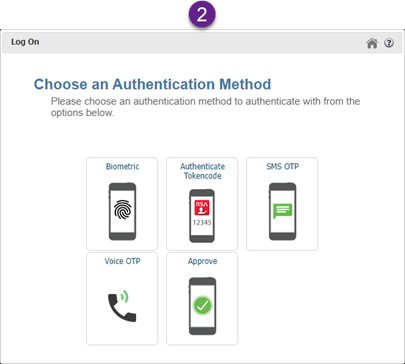
2. Choose SMS OTP or Voice OTP as the authentication method from the options shown to receive a code.
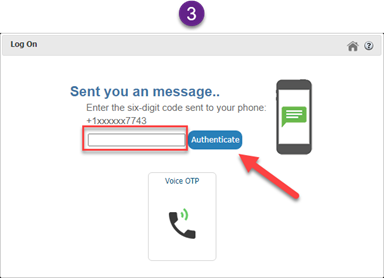
3. Enter the code received through the authentication method chosen in the previous step. Click Authenticate.
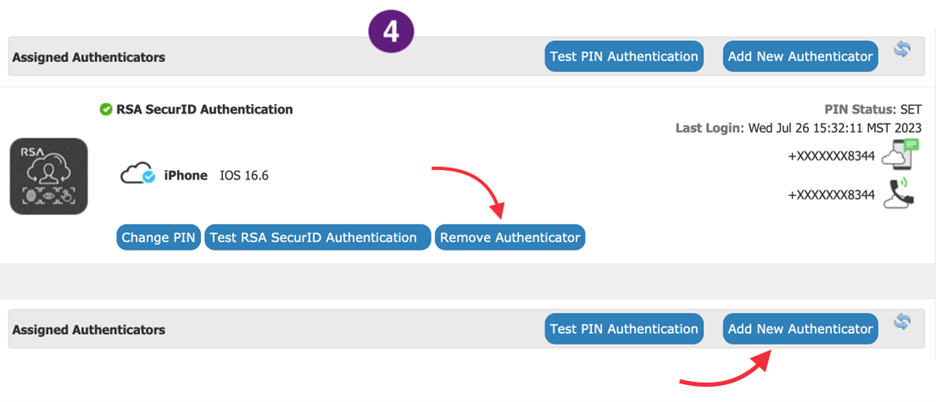
4. Click Remove Authenticator. Then click Add New Authenticator.
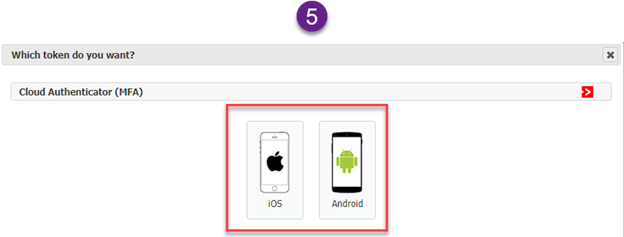
5. Select iOS or Android. Download and install the RSA Authenticator (SecurID) app from the Apple App Store or Google Play Store. We will refer to this app as "SecurID" from here forward. Accept the prompt to allow notifications. You can choose to enable or disable anonymized data, including location data. Disabling data collection does not impact the functionality of the SecurID app.
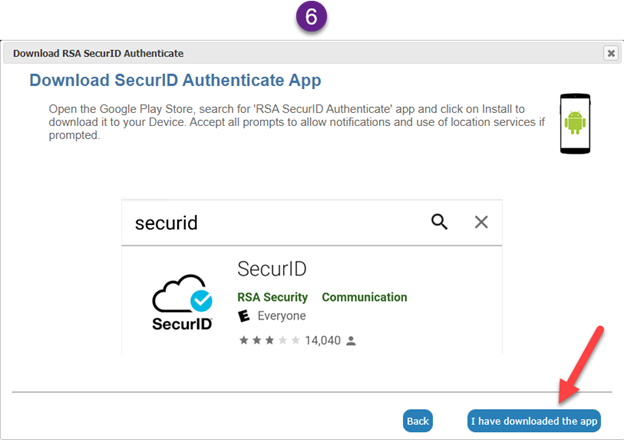
6. When installation is complete, click I have downloaded the app.
7. Using the SecurID app on your smartphone, tap on Scan QR Code and scan the code.

8. When the checkmark on the Active Your Device screen appears, click on Set PIN.

9. Create a new 6-digit PIN. Enter your PIN again in the Confirm PIN field. Click Submit.

10. Enter your employee ID and the PIN you just created. Click Test Login.

11. Click Complete Enrollment.

12. After enrollment, you will be directed to the main page. Click Test RSA SecurID Authentication.

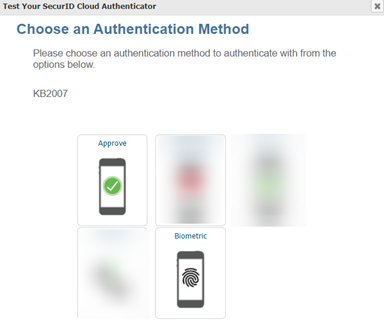
13. Choose an authentication method, Approve or Biometric.
14. Click Logout in the upper right of the window to finish.