Due to forecasted storms, free sand for sandbags is now available on a first-come, first-serve basis at nine City of Phoenix parks.
PHXLink
Launching Monday, Oct. 26.

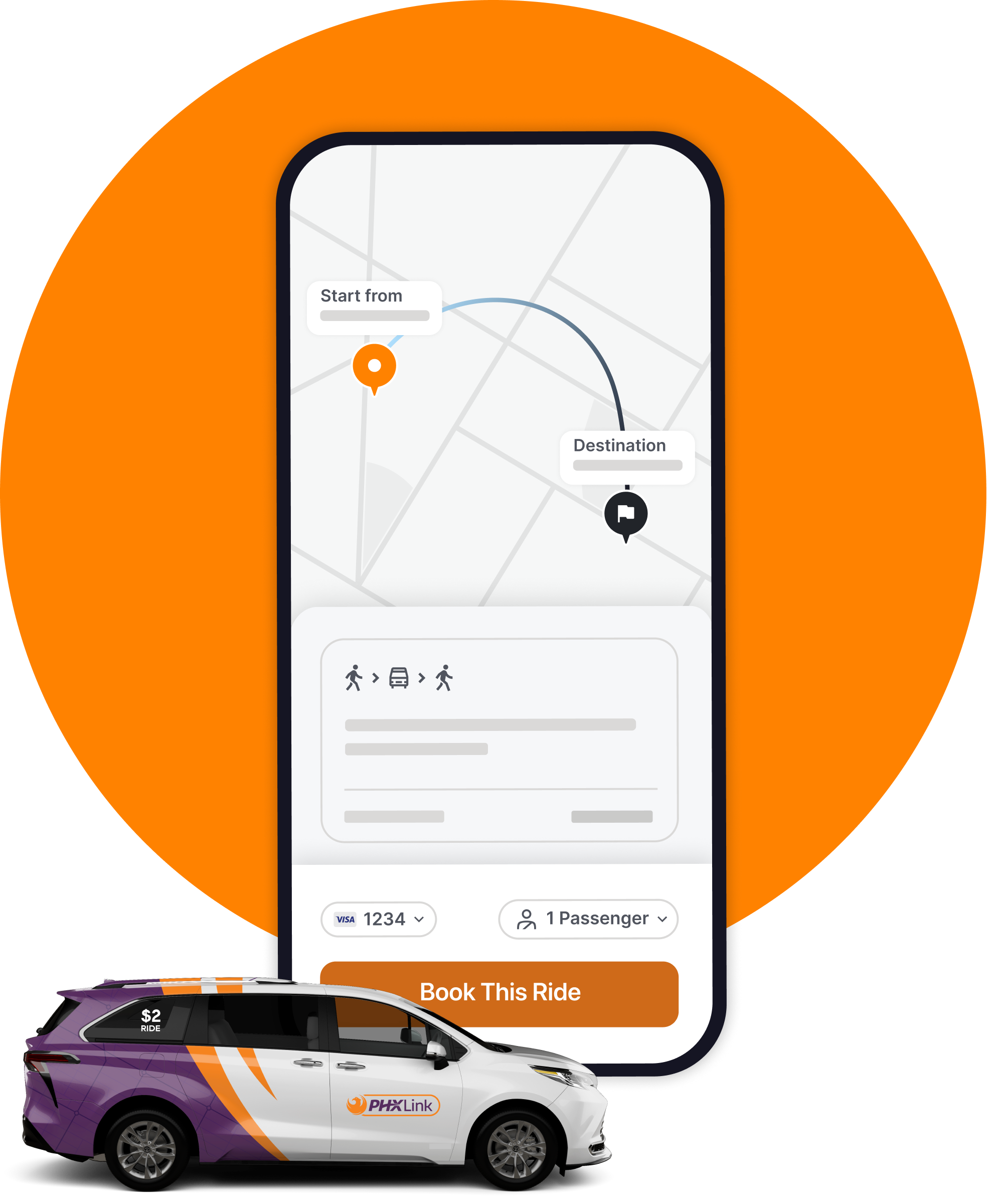
PHXLink is an on-demand, shared ride service that connects riders to existing City of Phoenix public transit service areas for $2.
PHXLink uses vans to provide flexible mobility. Riders can request a ride through the mobile app or by phone.
Commuting to work in Downtown Phoenix? PHXLink now connects you to two RAPID routes and light rail. The I-17 RAPID and I-10 West RAPID routes now have extended bi-directional service on weekdays. Learn more.
Download the PHXLink App!
The PHXLink Android app is now available on the Google Play Store.
The iOS app is coming to the App Store soon. You can book your PHXlink ride by calling 623-281-3479 or by using the web app.
Service Areas
PHXLink operates within three Phoenix Zones: North, West and South.
These zones are meant to quickly extend service to neighborhoods underserved by current public transit network and enhance coverage. Each zone will connect riders to transit centers, commuter bus routes, light rail stations or other community locations.
Use the arrows below the maps to navigate between the three zones.
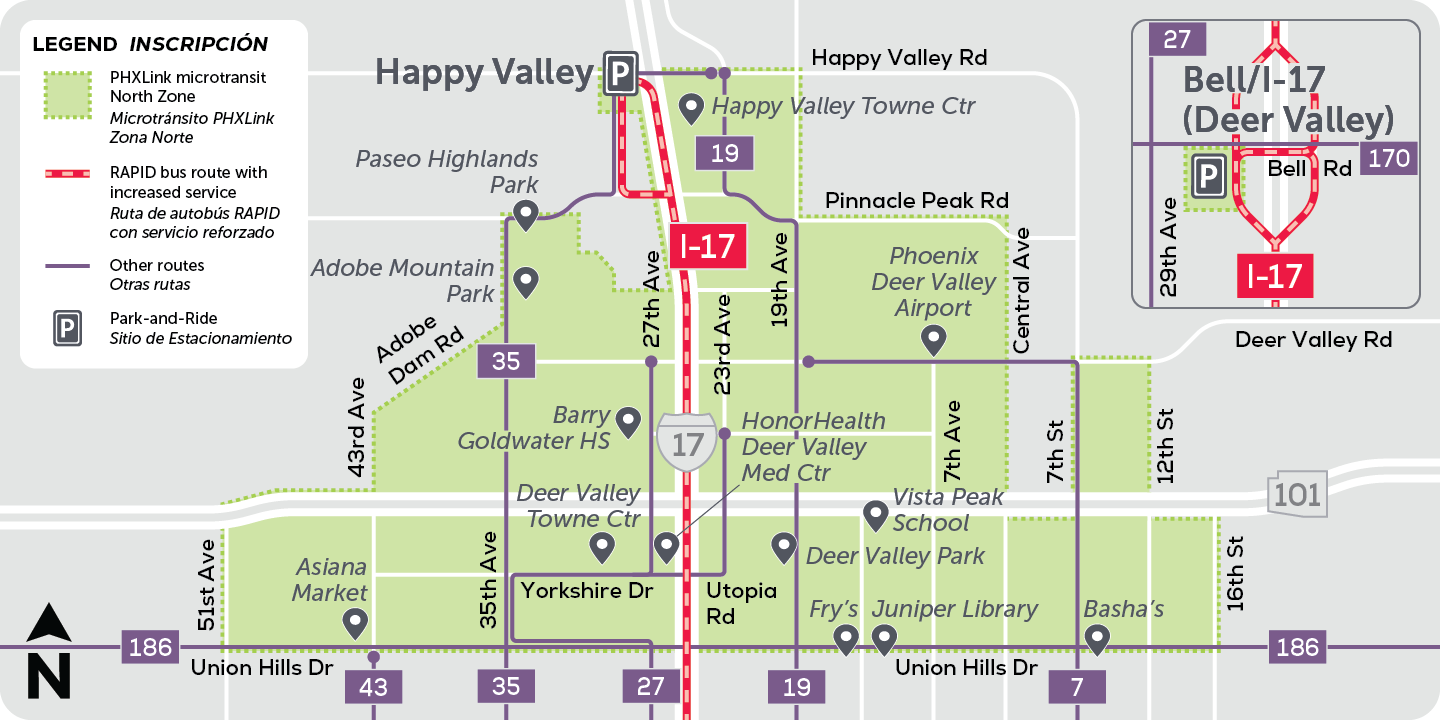 North Zone
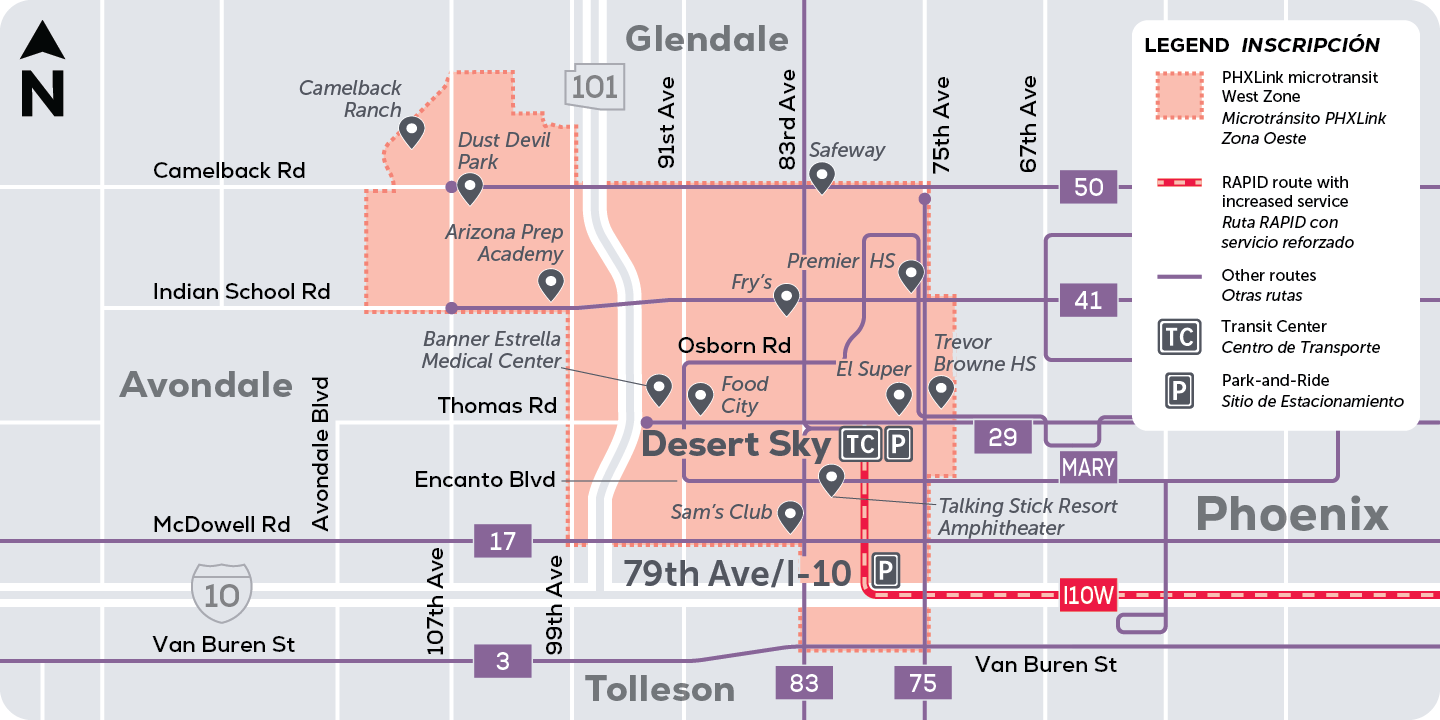 West Zone
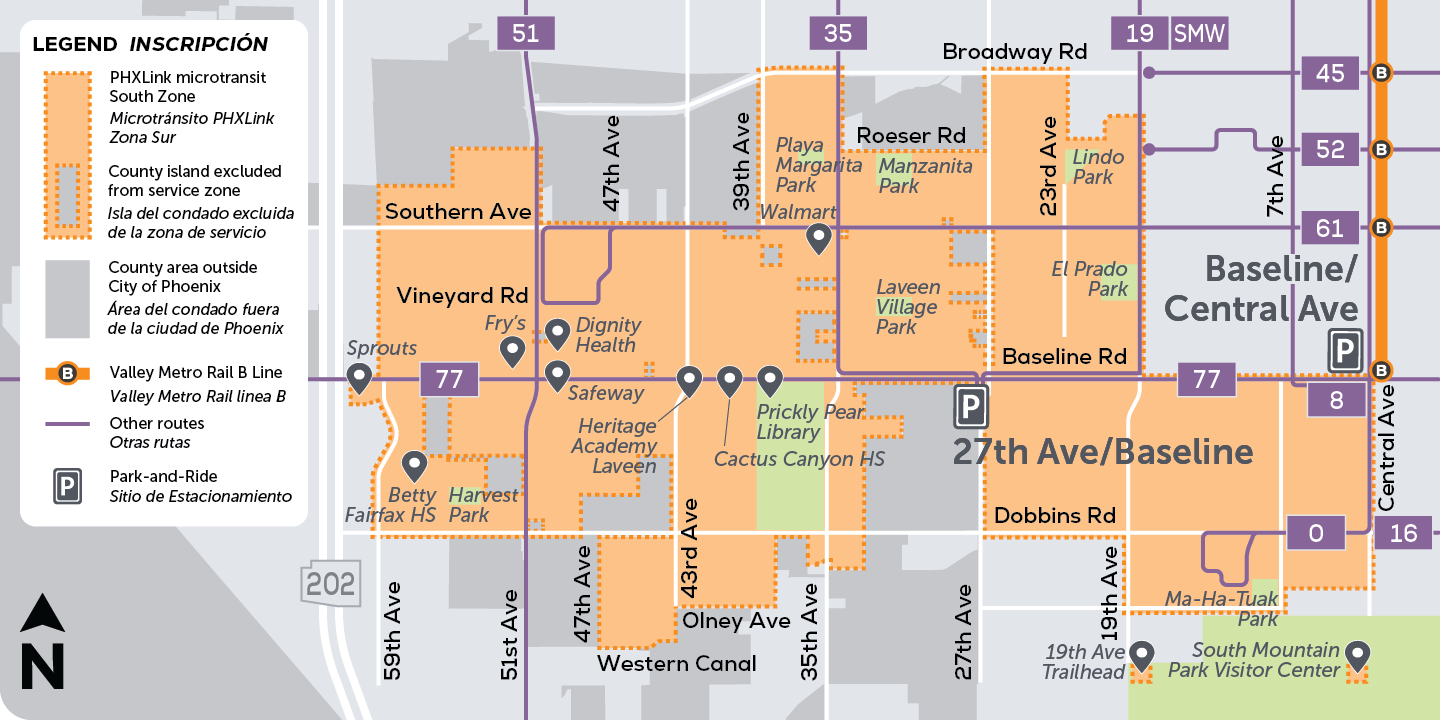 South Zone
- North Zone
- West Zone
- South Zone
Interactive Map
Service Hours
Monday - Sunday from 6 a.m. - 8 p.m.
How To Ride
Riders can book a ride using the PHXLink mobile app or by calling 623-281-3479. Select your destination and number of passengers. A pick up window will be provided and the rider will be directed to a nearby “virtual stop". A virtual stop is a designated pick-up or drop-off location that is typically not marked like a regular bus stop. These stops can be at a corner or community spot such as a community mailbox.
Riders need to arrive at the virtual stop before pick-up window. To make the service efficient and to be mindful of other riders, drivers are directed to only wait two minutes at each stop. If a rider is not at the stop before the two minutes are up, the driver will continue their journey and the trip will be marked as a “no show”.
-
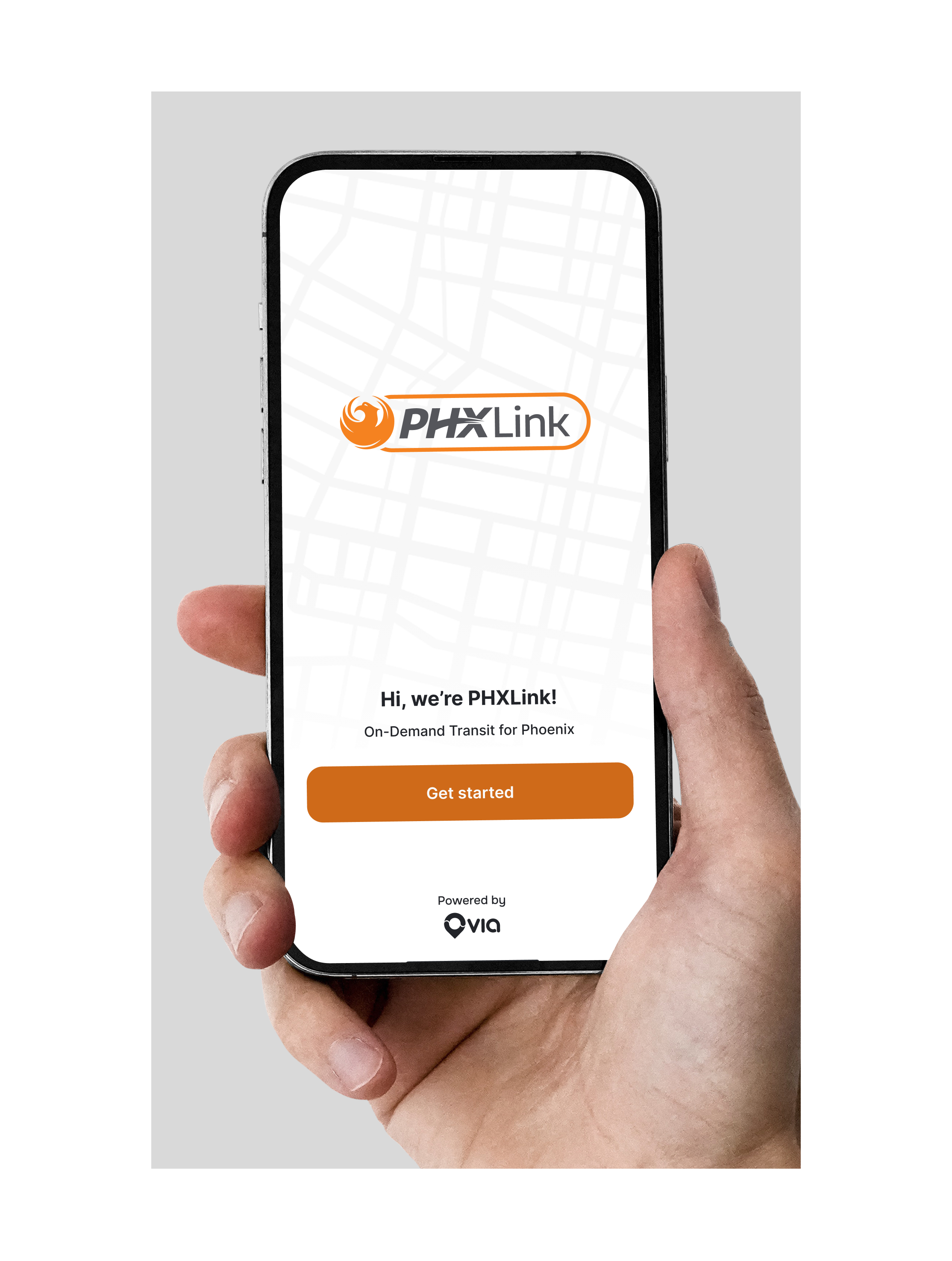
1. Create an account
Download the PHXLink app from the App Store or Google Play Store and follow the simple signup steps. -
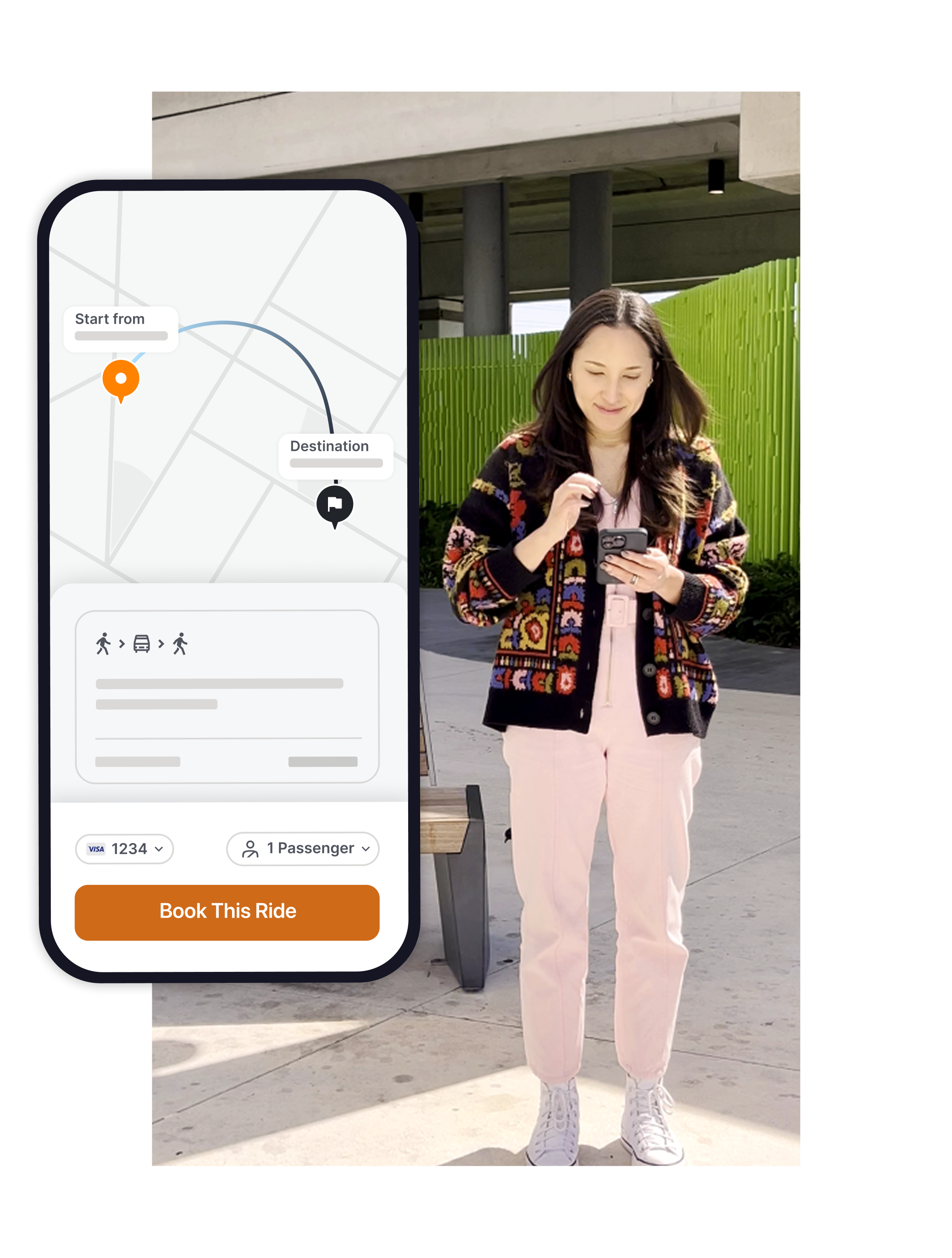
2. Book a ride
Enter your pickup and dropoff addresses, choose the ride that works best for you, and tap 'Book This Ride.' -
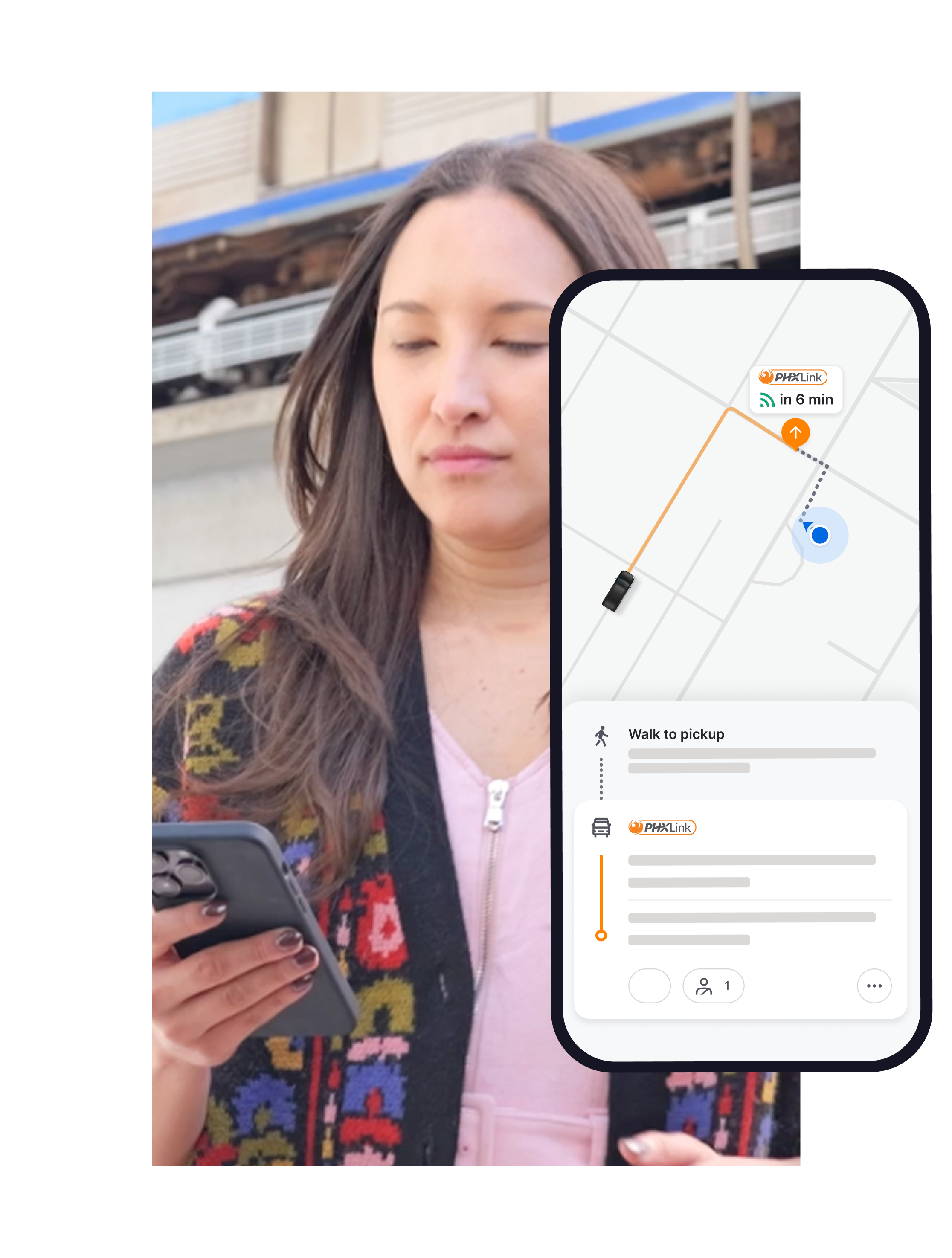
3. Meet your driver
Check the app to see where to meet your driver. The meetup spot will be a short walk from where you are.
Fares & Payment
Fares
PHXLink costs $2 per ride, per person.
Youth (ages 6 - 18), seniors (65+), riders with disabilities, and Medicare cardholders pay $1 per ride. Riders must be enrolled in the Valley Metro Reduced Fare Program to be elgible for reduced fare.
Children under 6 years old can ride for free.
How to Pay
PHXLink accepts cash, credit/debit card and Apple/Google Pay through the app. Cash/card payment is also accepted when booking a ride over the phone.
If you plan to pay in cash, you must indicate this when booking your ride. Drivers can accept only exact fare when you board.
Transfers
Using PHXLink to connect to a bus or light rail route? Riders will have to use the Valley Metro app or Copper Card to pay their fare. (Buses accept cash for single rides.) Vist the Valley Metro website to learn more about Smart Fare.
Contact Us
Email: support-phxlink@ridewithvia.com
Phone: 623-281-3479
Interested in becoming a PHXLink driver? Visit the Via Transportation website to learn more.
Frequently Asked Questions
Microtransit is a flexible on-demand transportation service that lives in the space between traditional fixed route bus service and ridesharing. The service uses smaller vehicles and generates routing based on demand within a specific geographic zone.
Yes — and if you need a WAV we’ll pick you up right at your door.
To request a WAV, you must verify that you need wheelchair accessible service.
In the app menu, tap Accessibility, then complete the accessibility request form, or call 623-281-3479 for help updating your account.
If you have mobility needs and require door to door service, but don’t need wheelchair accessible service, please call 623-281-3479.
Anyone can ride PHXLink, however, children under the age of 13 must be accompanied by a fare-paying rider who is 16 years of age or older.
Licensed service animals are welcome to ride in PHXLink vehicles without restrictions. Non-service animals are also allowed but must be in a pet carrier specifically designed to transport animals. The carrier may not be opened in the van, must be leak-proof and well ventilated, and be small enough to fit on the owner's lap or on the floor space in the immediate area of the owner without blocking other passengers.
No, PHXLink vehicles will not have car seats available for use. Riders traveling with children who require a child seat must bring their own and are responsible for installing the car seat.
Yes. Each vehicle can accommodate up to 5 riders. When booking on the app or over the phone, riders will be asked for the number of riders. If paying cash, make sure riders have enough fare for all. Also note that larger groups may need to wait longer based on demand.
Yes, you can cancel your ride. However, you will not be refunded.
Please be courteous to other riders and cancel as early as possible if you’re unable to travel. Frequent cancellations or no-shows may result in limitations on your acount.
Drivers will wait at the virtual stop for up to 2 minutes. After that time, the driver will continue the route and the trip will be marked as a “no‑show.” This policy helps keep the service efficient and ensures a smooth experience for all riders.
Once you start a ride, the destination cannot be changed. If you have not yet boarded the vehicle, you can cancel the ride and re-book with a new pickup or destination address.
No, drivers do not accept tips.
PHXLink is an on-demand service, so you should book your ride 20-30 minutes before you’re ready to go.
Other passengers headed in the same direction may be picked up and dropped off during your trip. This keeps the service fast and efficient.
The easiest way to use the service is by downloading the app with the links above. However, if you do not have a smartphone, or need additional assistance, you can call our support team at the number listed above and we’ll help you over the phone.
Sometimes, if we are experiencing high demand in your area, there may not be any vehicles or drivers currently available to service your ride. If your travel plans are flexible, you can try requesting the ride again after a few minutes. Please note, calling will not increase your ability to book a ride as our agents have the same ability as you do booking in the app.
Once a ride is confirmed, you will see the estimated time of arrival (ETA) of your driver in the app. You can follow your driver’s progress in real-time so you know where they are. The app will give you directions to your pickup stop which may be a short walk away. Just follow the dotted line to get to your exact pickup spot.